Shipping to: [vcwccr_country_selector]

20% off sitewide* with code CONNETIX20

Introductory offer! 10% off NEW Roads Range.
*20% off code not redeemable on Roads Range. Ends 11.59pm AEST 15th September.
Sale ends in

  • 00Days
  • 00Hours
  • 00Minutes
  • 00Seconds

20% off sitewide with code CONNETIX20*

plus 10% off NEW Road Range. Ends 11.59pm AEST 15th September.

*20% off code not redeemable on Roads Range.

  • 00Days
  • 00Hours
  • 00Minutes
  • 00Seconds

How CONNETIX Can Support Learning of Data and Graphing

How CONNETIX Can Support Learning of Data and Graphing

By CONNETIX

Collecting data, creating graphs and interpreting information is a hands-on task where children are up and moving, asking questions to collate real life information, and then using it to represent their findings and interpret them. Graphs are a great visual tool that helps children see what is actually being discovered because it’s physical and observable. CONNETIX is the perfect resource to support children with collecting data, graphing in many different formats, and then supporting them to read and analyse the data. Let’s take a look at how.

Creating Tables and Tallying Data

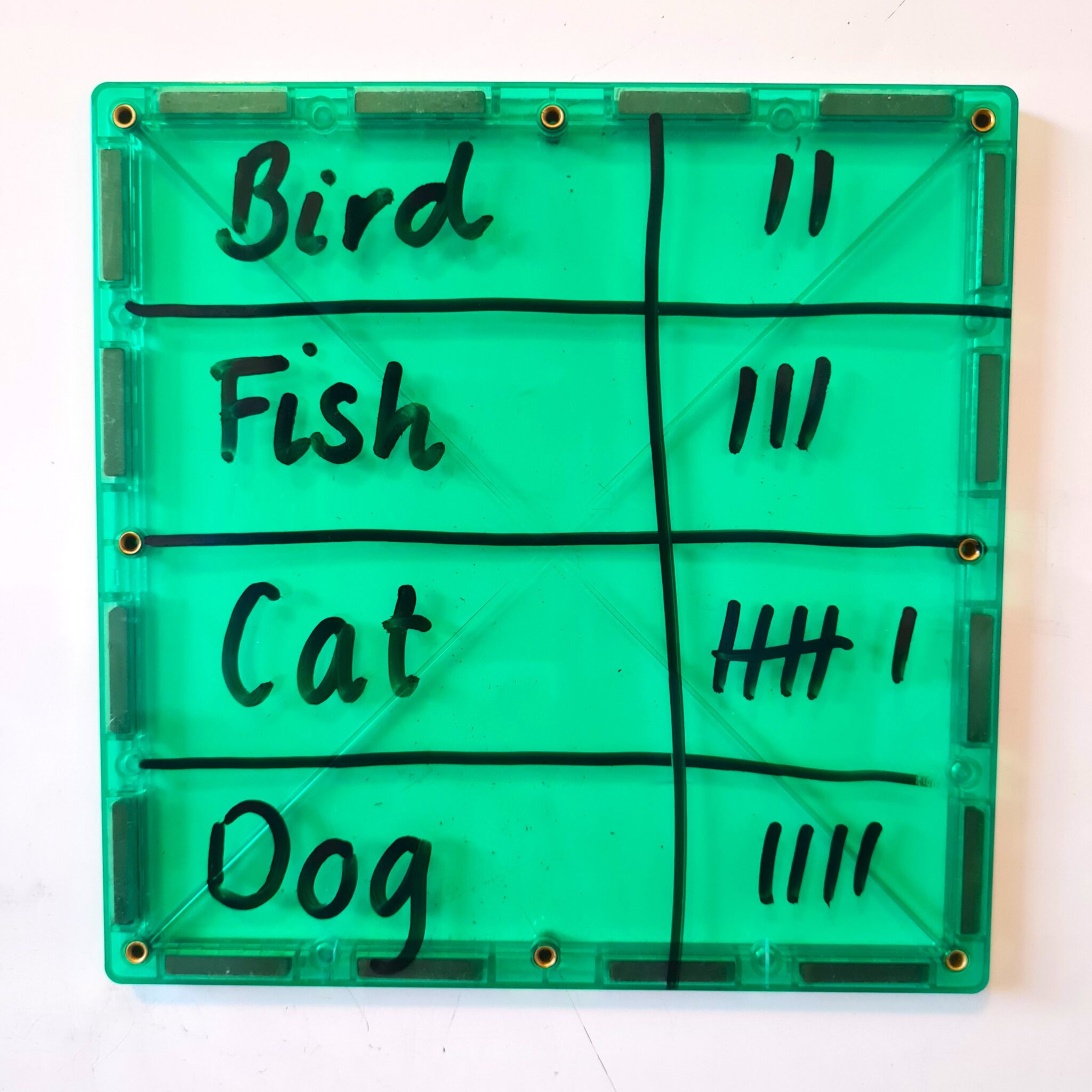
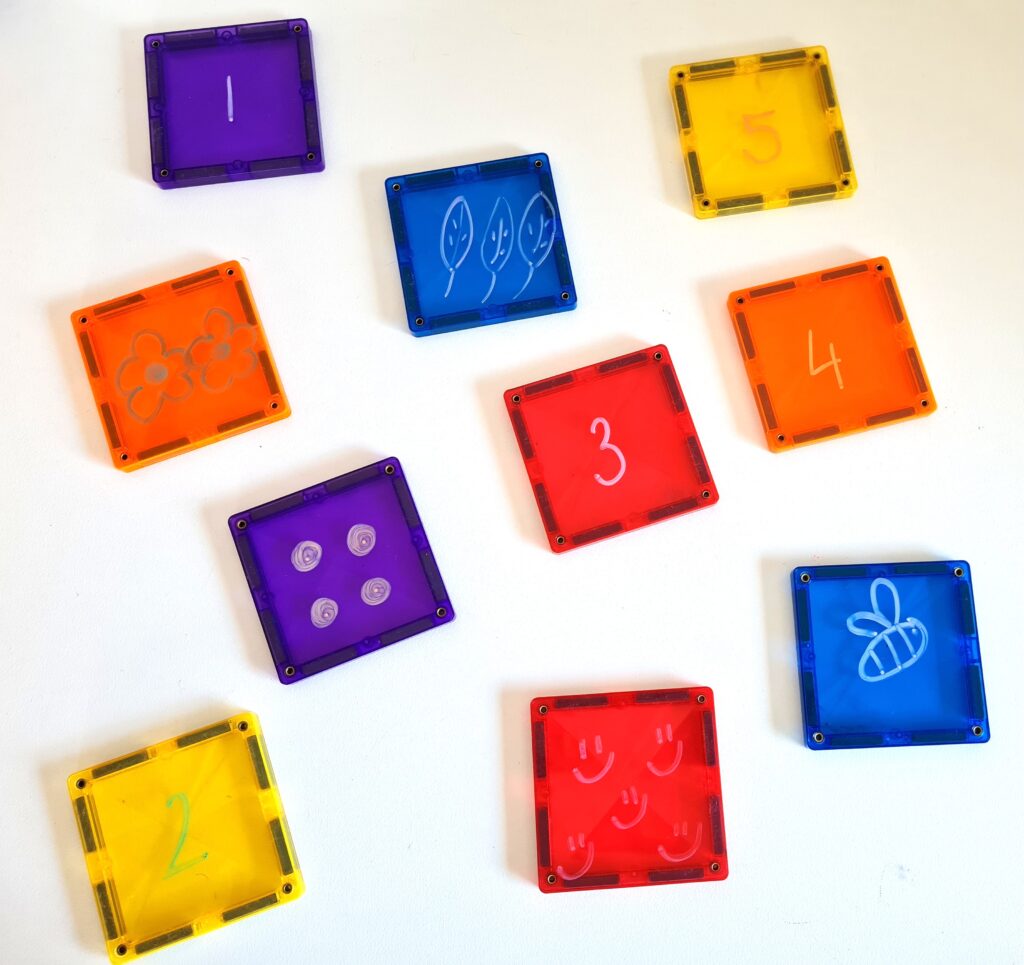
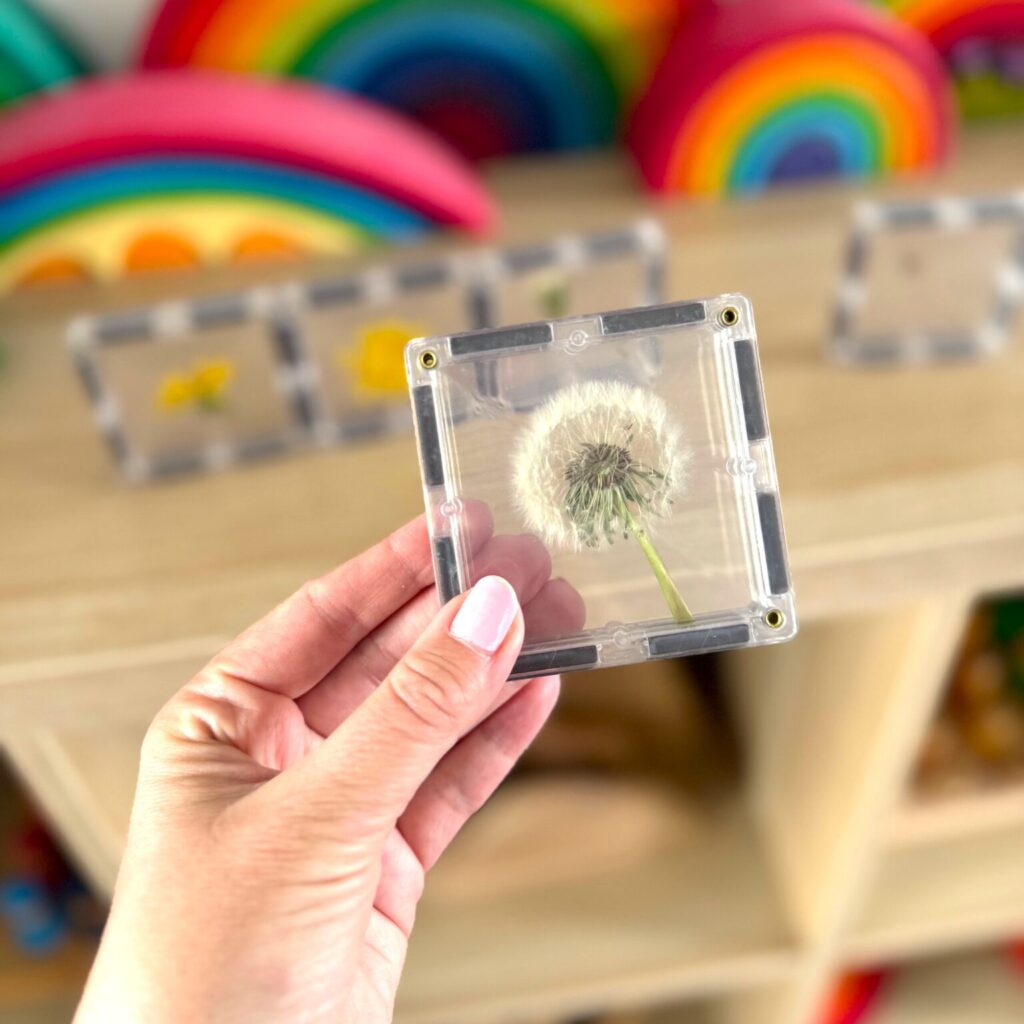
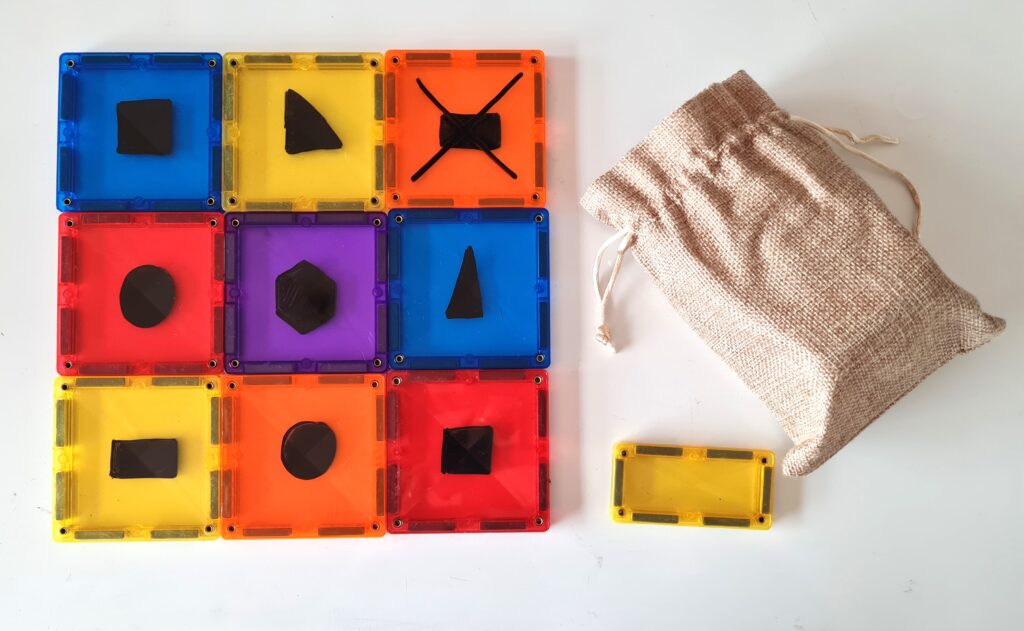
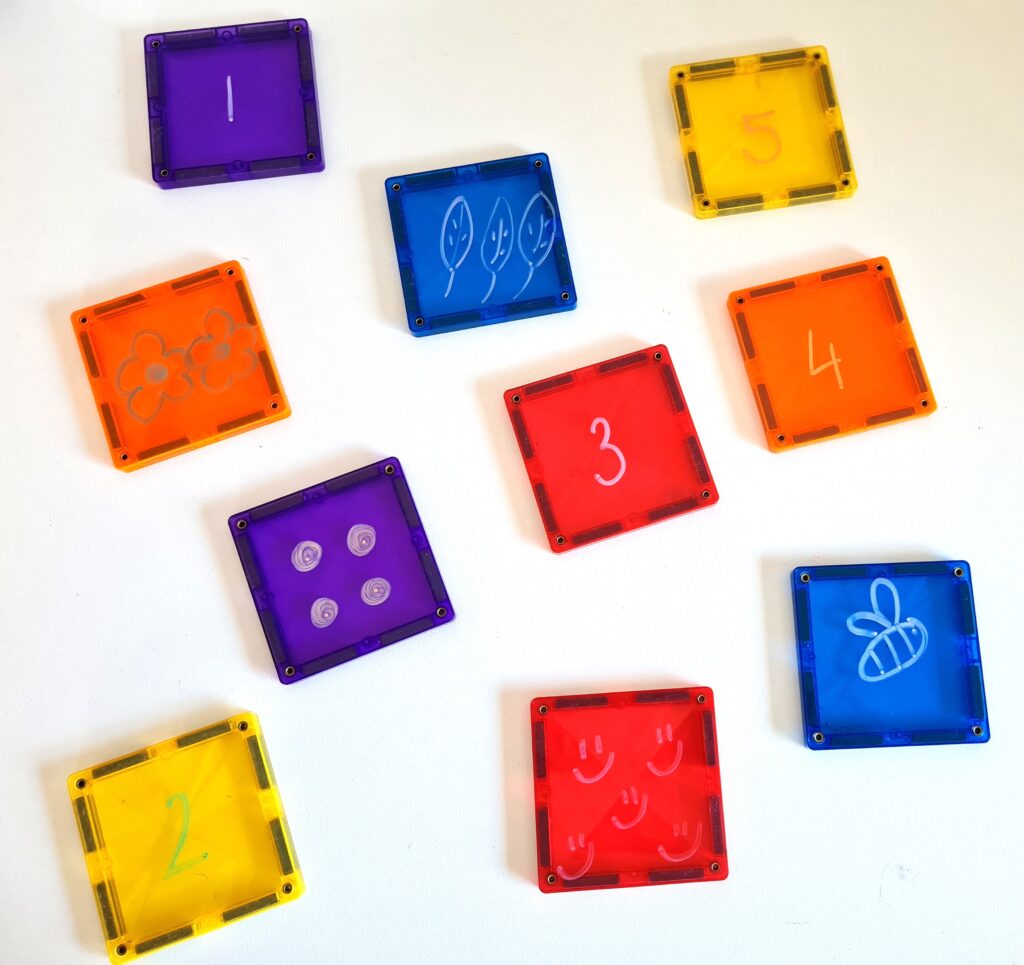
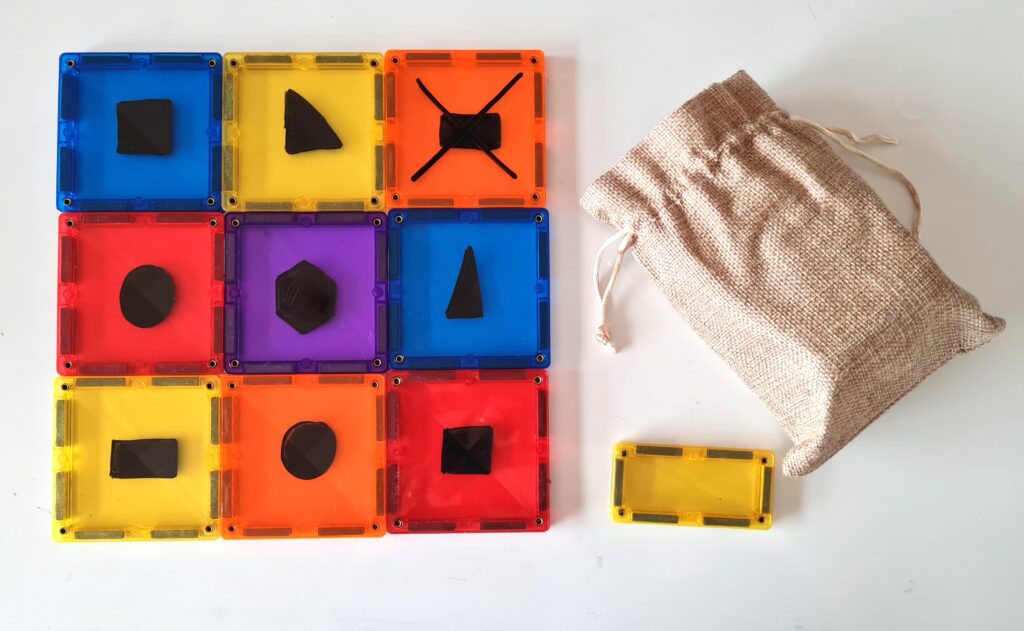
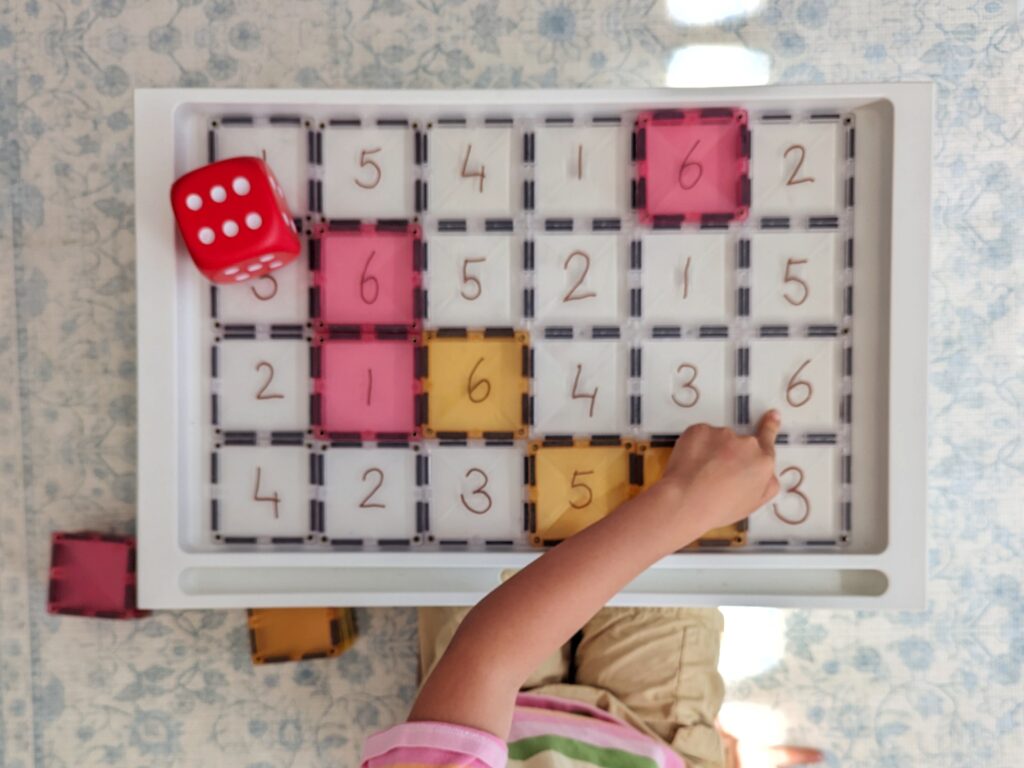
Rather than use a book, why not use a large CONNETIX tile to create a table and tally while completing data collection? Children can create a table to use for their tallying to help organise their information. When children are surveying others about their chosen topic, they can easily wipe off any errors and edit their mistakes using chalk markers.

Creating Graphs

Using CONNETIX to create a physical graph is another hands-on and practical way that we can get kids to represent their findings. After children have completed their surveying and collected their data, they can use any-shaped tiles to create their graph. This might be a:

  • Picture graph
  • Bar graph or column graph (single or side-by-side)
  • Dot plot
  • Pie chart

Types of graphs

Picture Graphs

Option 1: Co-constructed graphing

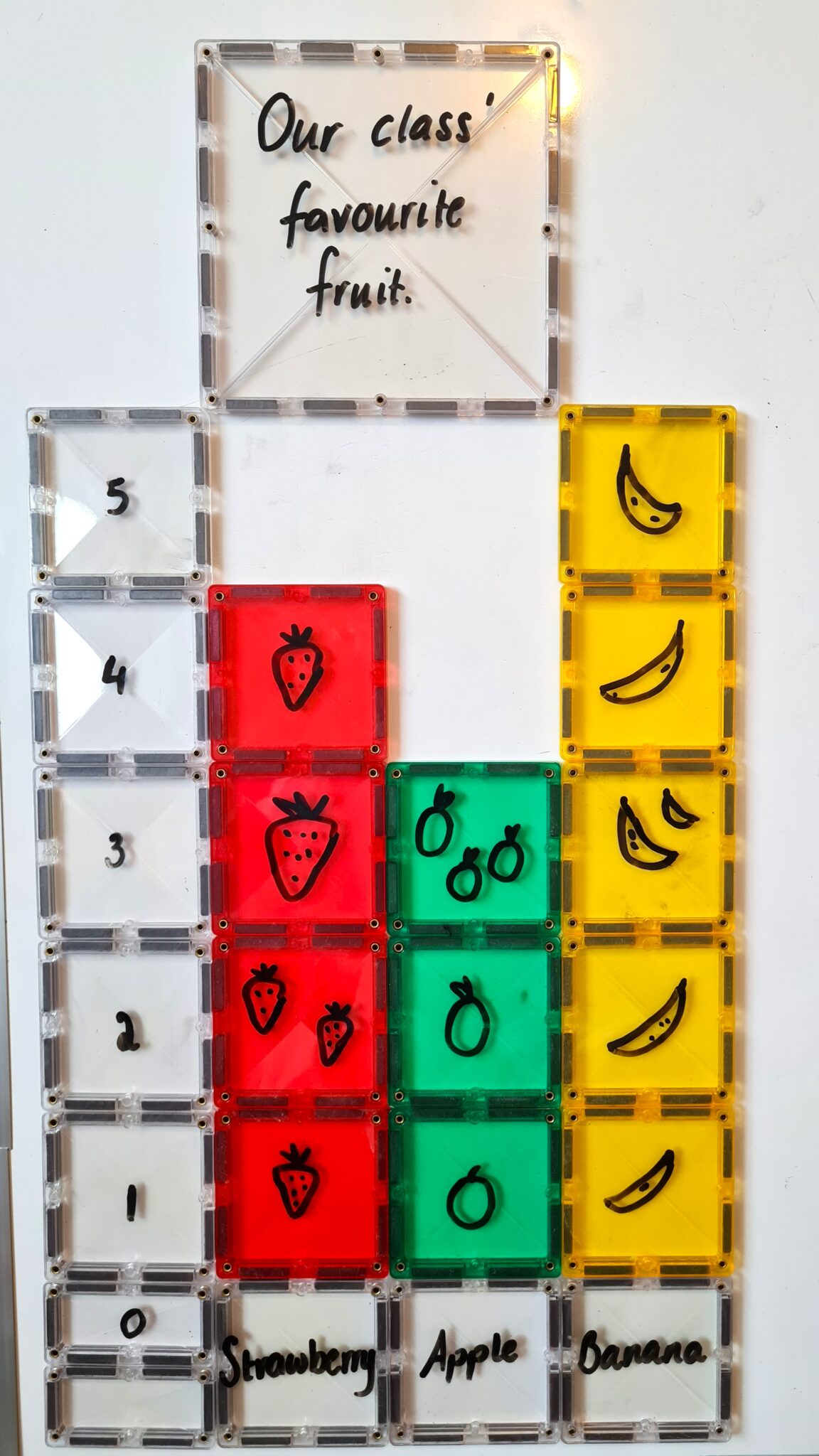
Each person that is being surveyed takes a tile. Everyone must have the same shaped tile. Ask the question, for example, “What is your favourite fruit?” and then list a few options such as “bananas, apples and strawberries”. Using chalk markers, each child draws a picture of their favourite fruit out of the options provided. Create a table, tally together and survey everyone involved, showing children how this information is represented and what it means. Next, create the x and y axis for the graph. The y axis will display the number of children who picked that option, (begin by making the y axis’ scale increase by one number at a time). The x axis will display the categories, in this case, the favourite fruit options. One at a time, ask each person to add their tile to the graph to display their favourite fruit. Once this is done, discuss the findings of the graph and then compare it to the table. Children will then be able to see how the data from a table and graph reflect one another. Learning how a graph is created from tallied data while also understanding that each piece of data represents one person’s preference. They will also be able to see how the x and y axis work together to display the data to categorise and show the increase in people who selected each option.

Once children understand the concept of how a graph is made and that it provides valuable information, they can create their own. Start by collecting your data and placing tally marks into a table, this might be together as a group or individually. Then, give children a stack of tiles to create their own picture graph. Don’t forget they should all be the same shape and size. Remind everyone to draw a picture of each item from the category and that one tile represents one person’s vote. If children require a further challenge, you could ask them to make the y axis’ scale count up by two (or another number) rather than one and then adjust the graph’s data accordingly. Also remind them to add categories or values for the x axis.

Bar Graph or Column Graph (single or side-by-side)

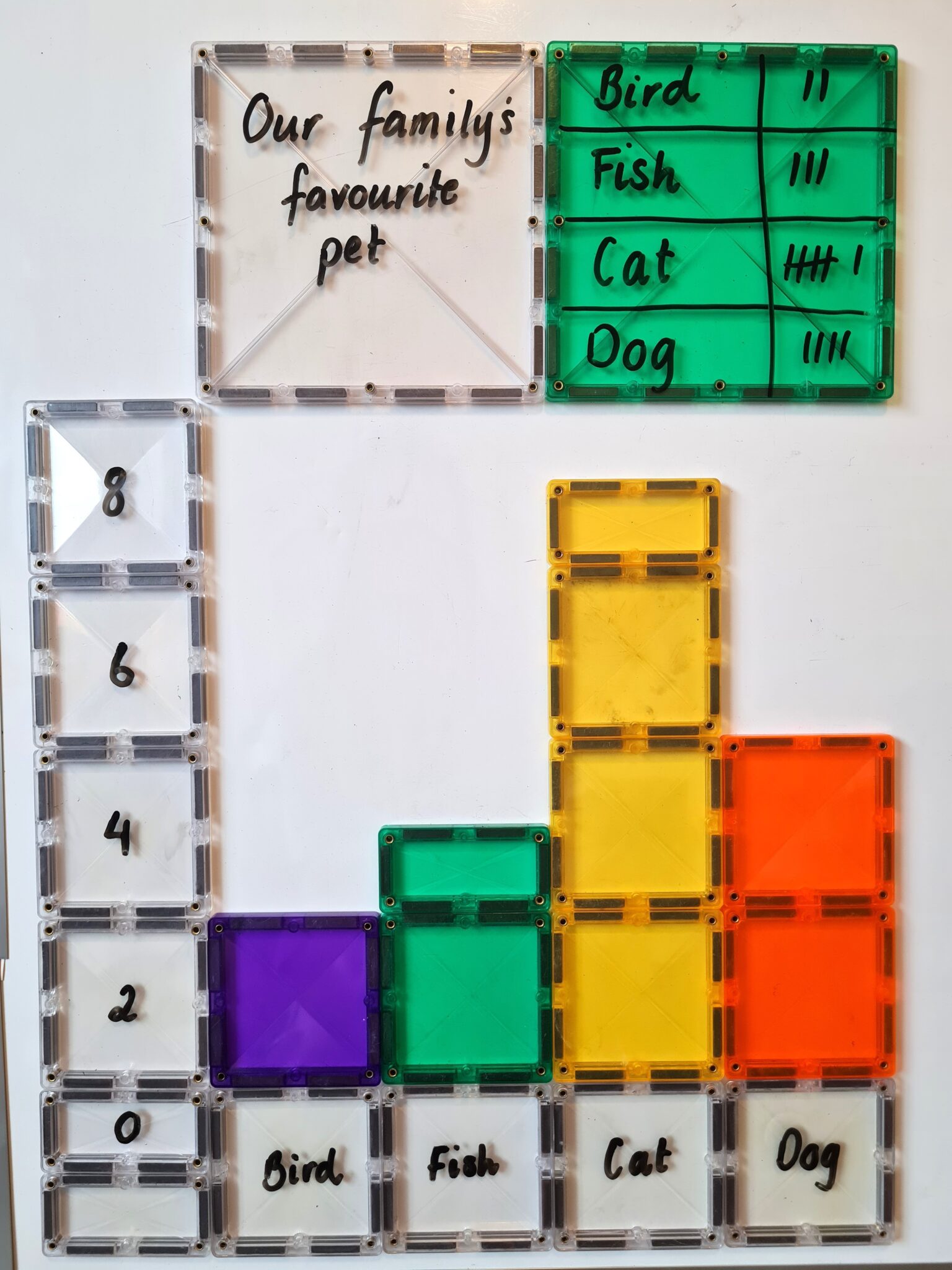
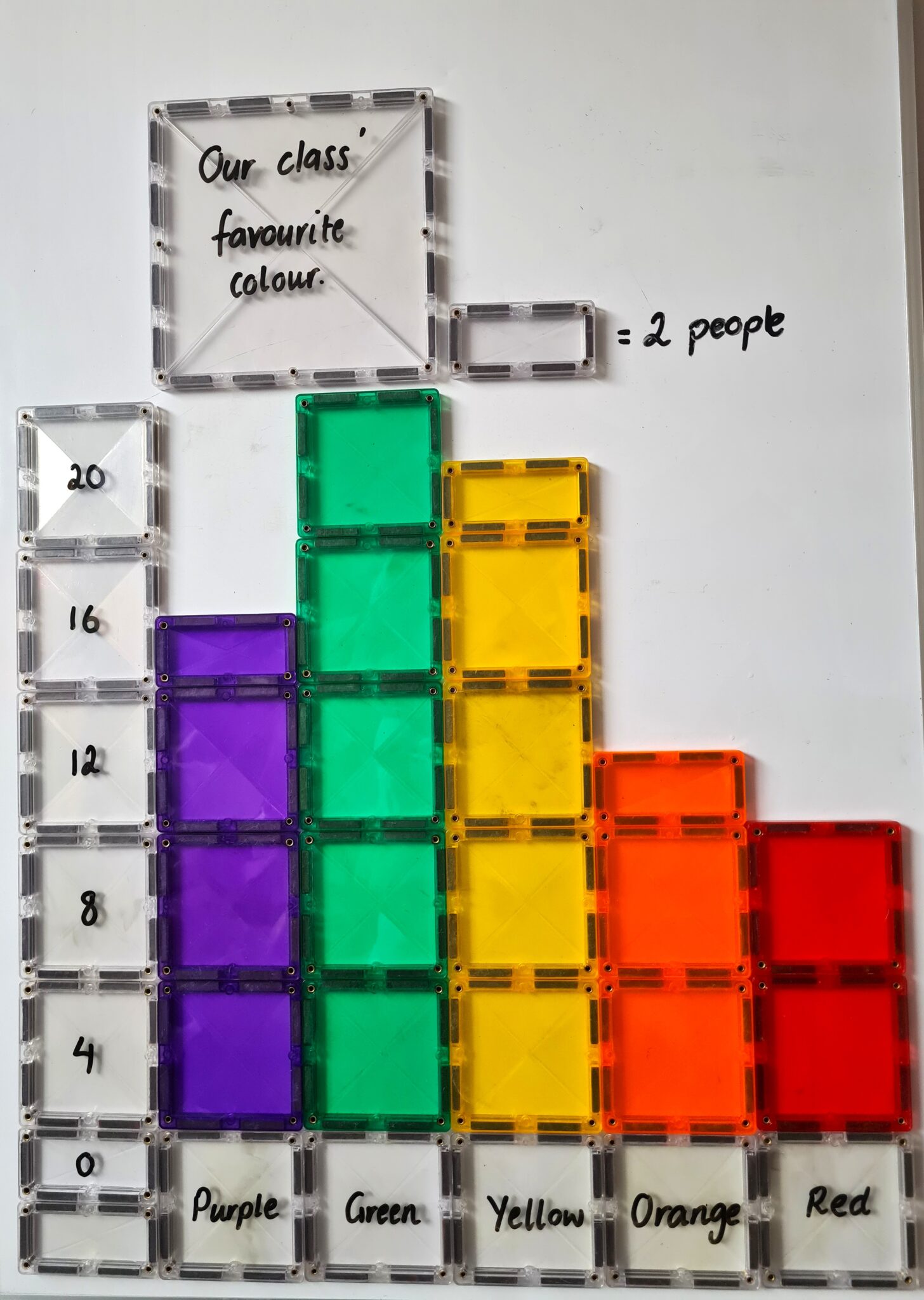
Children can easily create a bar or column graph, using any shaped CONNETIX tile of their choice, as long as there’s enough of the same shape to represent all the data being represented. Like a picture graph, children will need to survey others and collect their data, then create the x and y axis values for their data before plotting the data onto their graph. Children can then go ahead and add their data onto their graph, using their CONNETIX tiles to represent their findings.

If children are creating a side-by-side column graph, they can use the different coloured tiles to represent the different data sets. For example, if surveying a group of children about which sports they like the best, boys’ answers might be represented in orange tiles and girls’ answers might be represented in green tiles.  

Children can also be challenged to make their y axis scale increase by more than one. For example, one square tile might represent two votes. Children will then need to ensure they divide their tiles into 3 parts, where their data doesn’t reflect a multiple of 3. They might also like to add a key which reflects this too.

Line Graph

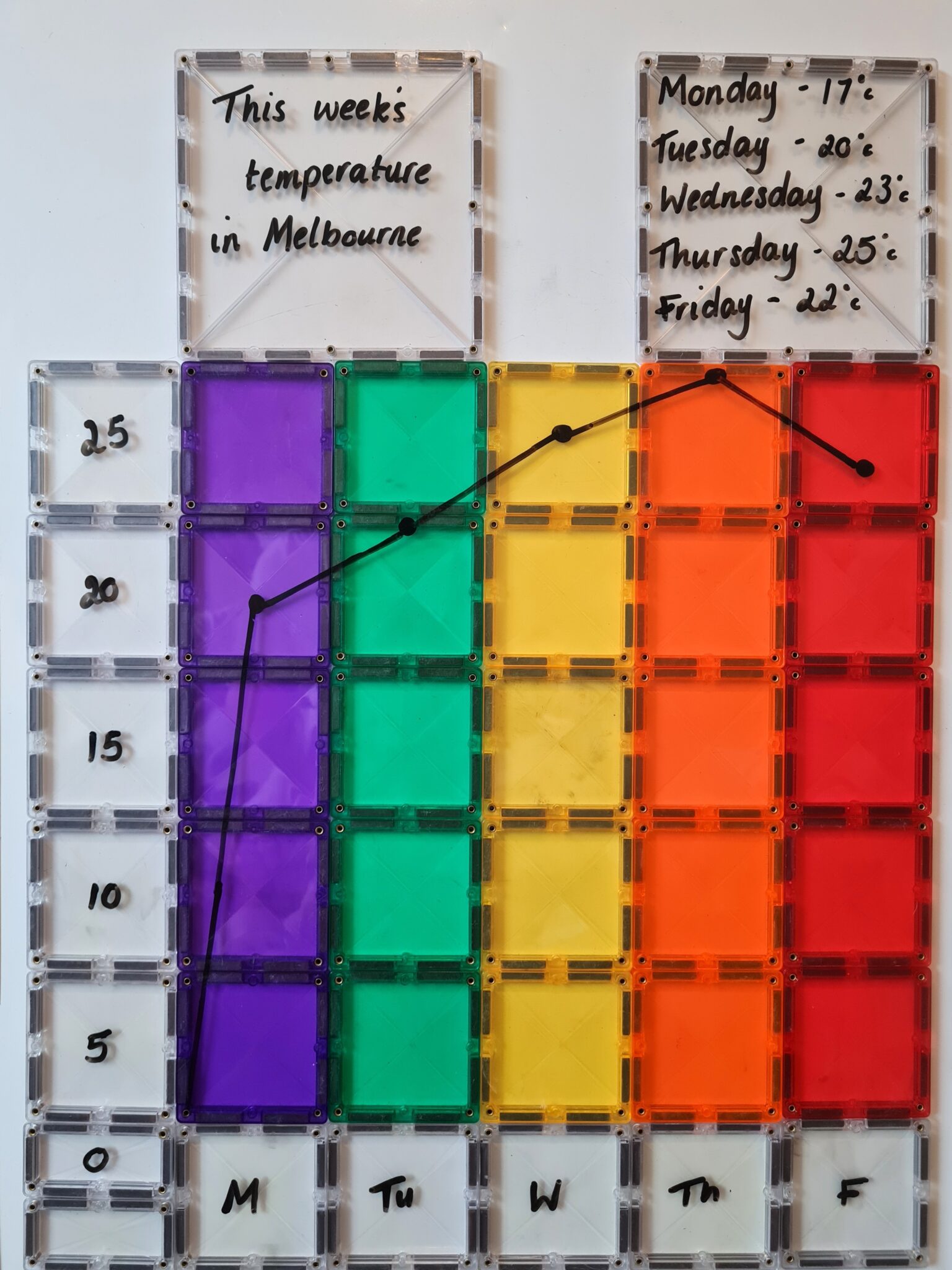
Just as children would with their bar or column graph, children will survey their group, collate their data into a table then create their graph’s x and y axis with appropriate values and labelled categories. Then, they will need to fill in the middle section of the graph with CONNETIX tiles. This might be all in one colour or they might like to create a rainbow. Next, children will need to use chalk markers to plot the numerical value for each category’s data, using a dot. Now children can draw a line between each value, showing the rise and fall of the data.
If children would like a further challenge, they might like to create a double line graph where two sets of information are shown. For example, they might like to display the weather in their capital city for each month of this year and last. Each year’s data would be shown in different colours on the same graph.

Pie Chart

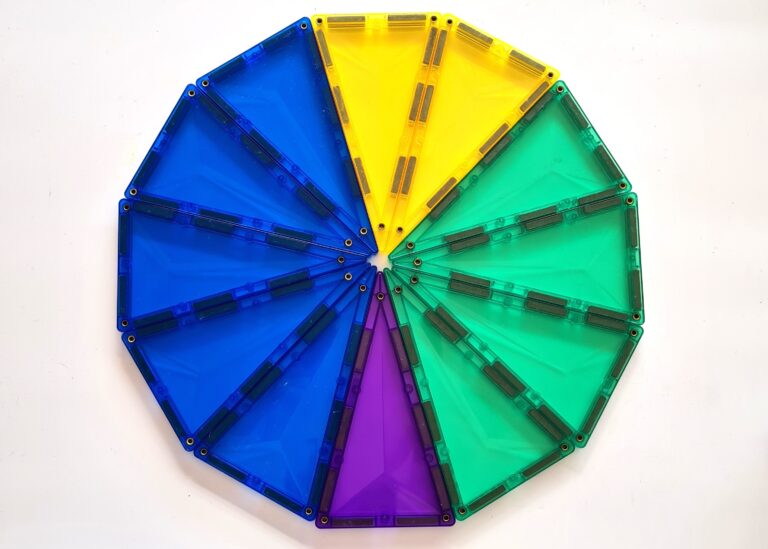
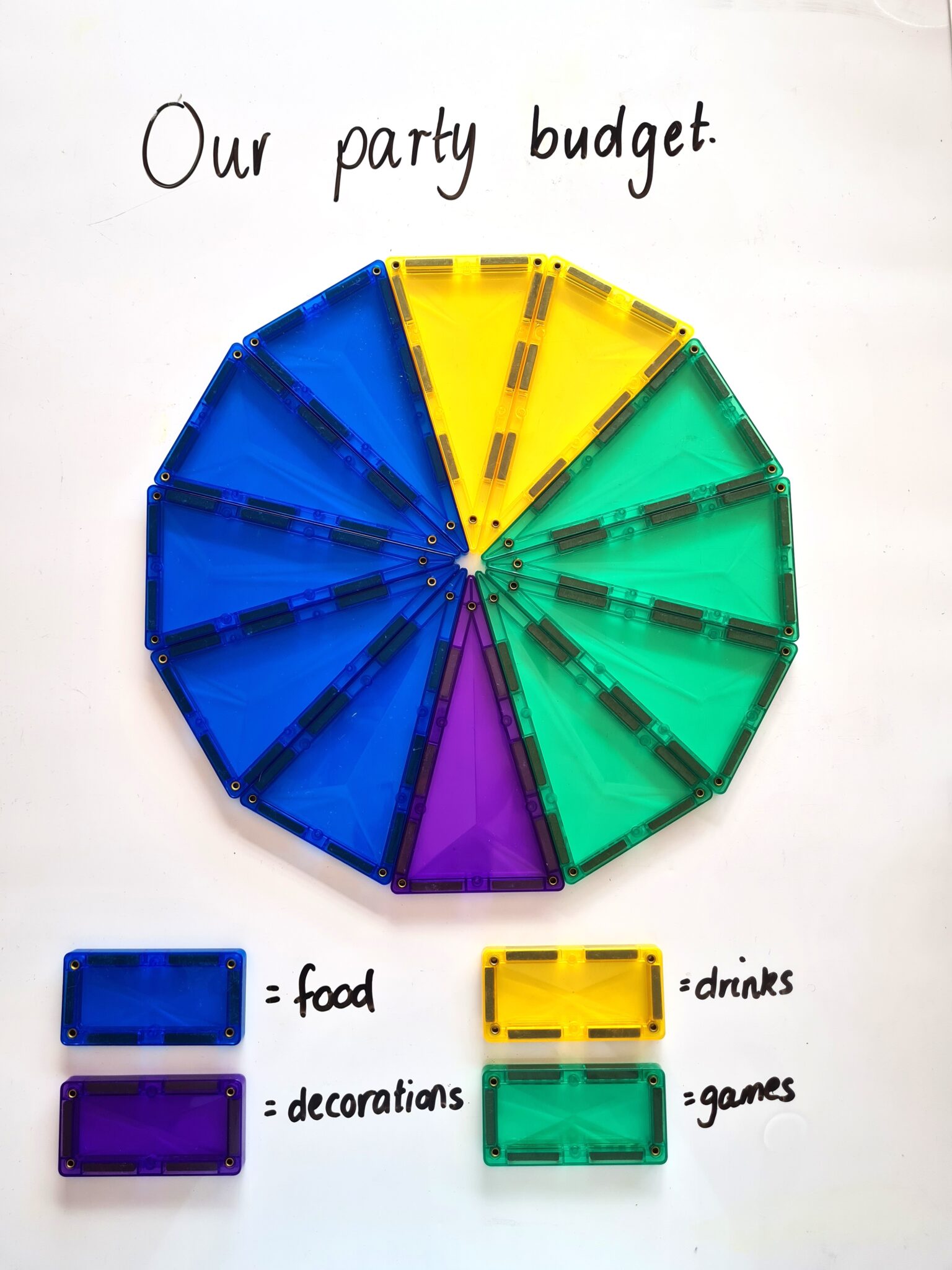
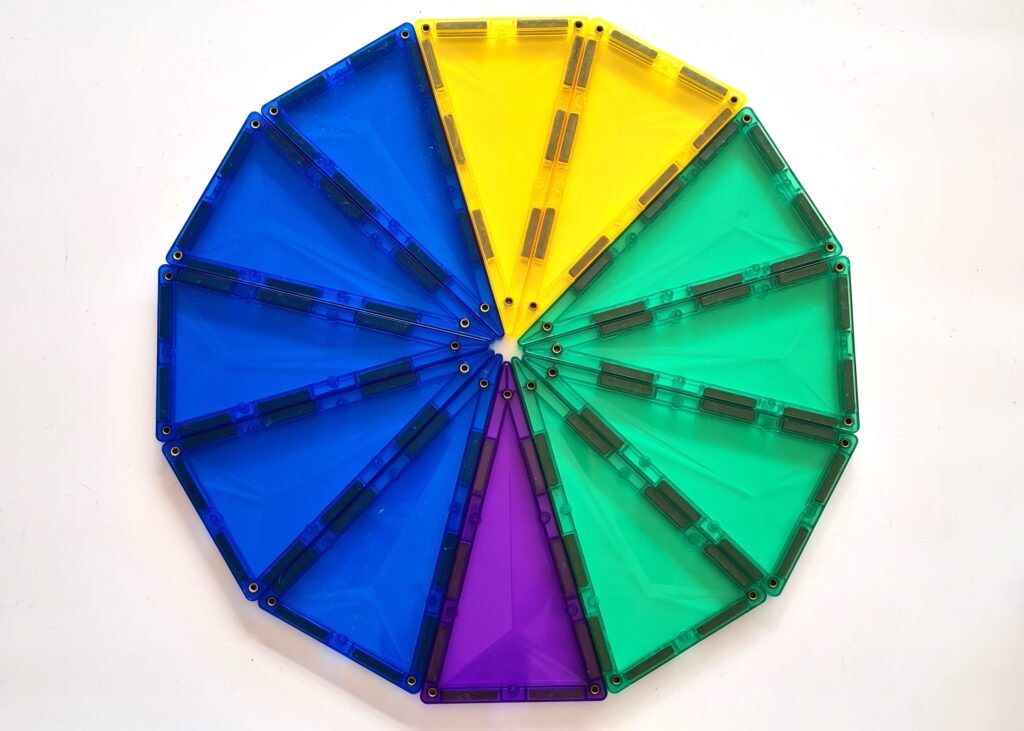
A pie chart helps to show the percentage of each data set that represents different categories. Using 12 isosceles triangles, create a circle to represent your pie chart. After collating your data, you can use this to work out the percentage of each category. For example, if you’re exploring budgets for a party, you can work out what percentage you will spend for each category of your budget. To do this you will need to work out the fraction that has been spent on each category. Then, you will divide 360 (the number of degrees in a circle) by the fraction for each category. This will work out the angle that each section of the pie represents. So, if you spend 5/12 of the budget on food, you will solve 360/12=30, then 30×5=150. Therefore, the section of the pie chart that represents the amount spent on food will be 150 degrees.


Once these amounts have been worked out, you can then integrate children’s knowledge of angles and practice using a protractor to measure out the angles properly. These can now be drawn onto your CONNETIX tiles using a chalk marker.


Children can also be encouraged to use a key to show their findings where colours are given for each section of the pie.

Graph Features

Children can also use their CONNETIX tiles to include important graph features such as titles and keys.

Title:
All graphs should utilise a title, so begin naming the graph with an accurate title that represents the data collected. You can use any tile you like for this.

Keys on graph:
Graphs often have keys. This might be to show a colour that represents a category or a half symbol to show half the amount of the x axis’s scale. CONNETIX is great for both of these representations of a key. Firstly, CONNETIX comes in so many colours that it makes creating a colour coded key easy. Secondly, CONNETIX also has squares and rectangles where the rectangle is half the size of the square, making it perfect to show smaller amounts of the data that’s been collected.

Reading and Interpreting Data

After any set of data has been collated and a graph has been created, you can begin to analyse the results. This helps children develop their mathematical language, thinking about concepts such as ‘which has the most, least or equal amounts’ and then critically analysing the data, thinking about why these results may have occurred. Physically creating a graph is a great way to help children analyse data as there’s a physical visual display that clearly shows results. Making a graph using your CONNETIX tiles will definitely help children to interpret data sets because it’s a concrete, observable tool. You can easily discuss findings with a clear representation in front of you to show all kinds of findings in data sets, whether they are similarities, differences or general observations.

Graphing and interpreting data is an essential skill that is used so often in everyday life. Rather than the traditional method of using pen and paper to collect data and graph results, why not make these activities a little more hands-on, fun and engaging by creating physical graphs with manipulable tools. It’s a great way for children to apply the same skills in different formats. CONNETIX offers the opportunity to support all levels of understanding when it comes to graphing. The variety of shapes, colours and sizes lends itself perfectly to this mathematical topic as it allows children to create different kinds of life size graphs with a flexible and tactile tool. As they are easily manipulated, mistakes can be fixed simply and with ease. CONNETIX provide valuable learning opportunities disguised in a fun, engaging way, where children don’t even realize they are learning.

You might also enjoy

Stay Updated

If you’d like to be informed when we release one of our new articles about open-ended play and STEAM concepts, please subscribe below.

Join the CONNETIX Club

Access free downloads, exclusive offers, sneak peeks & more!

You might also enjoy

Sign up to the CONNETIX Club!

As a CONNETIX Club member you will be the first to receive the latest play inspiration, expert advice, exclusive updates on our products and giveaways, as well as special offers JUST for Connetix Club members.